LIVE · NO MICROPHONE

A radio that really knows your music.

AI hosts talk out loud about what's playing on your Android phone or your computer, with facts from trusted sources. No microphone, and free with your own key.

Windows 10/11 · No microphone · No permissions · Free

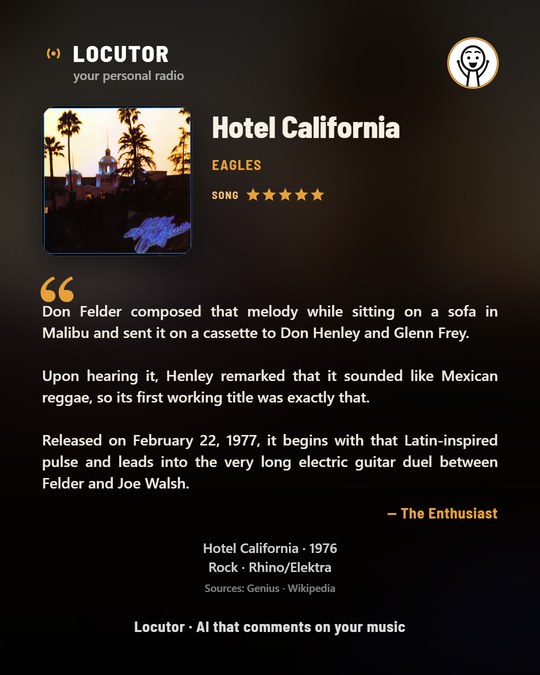
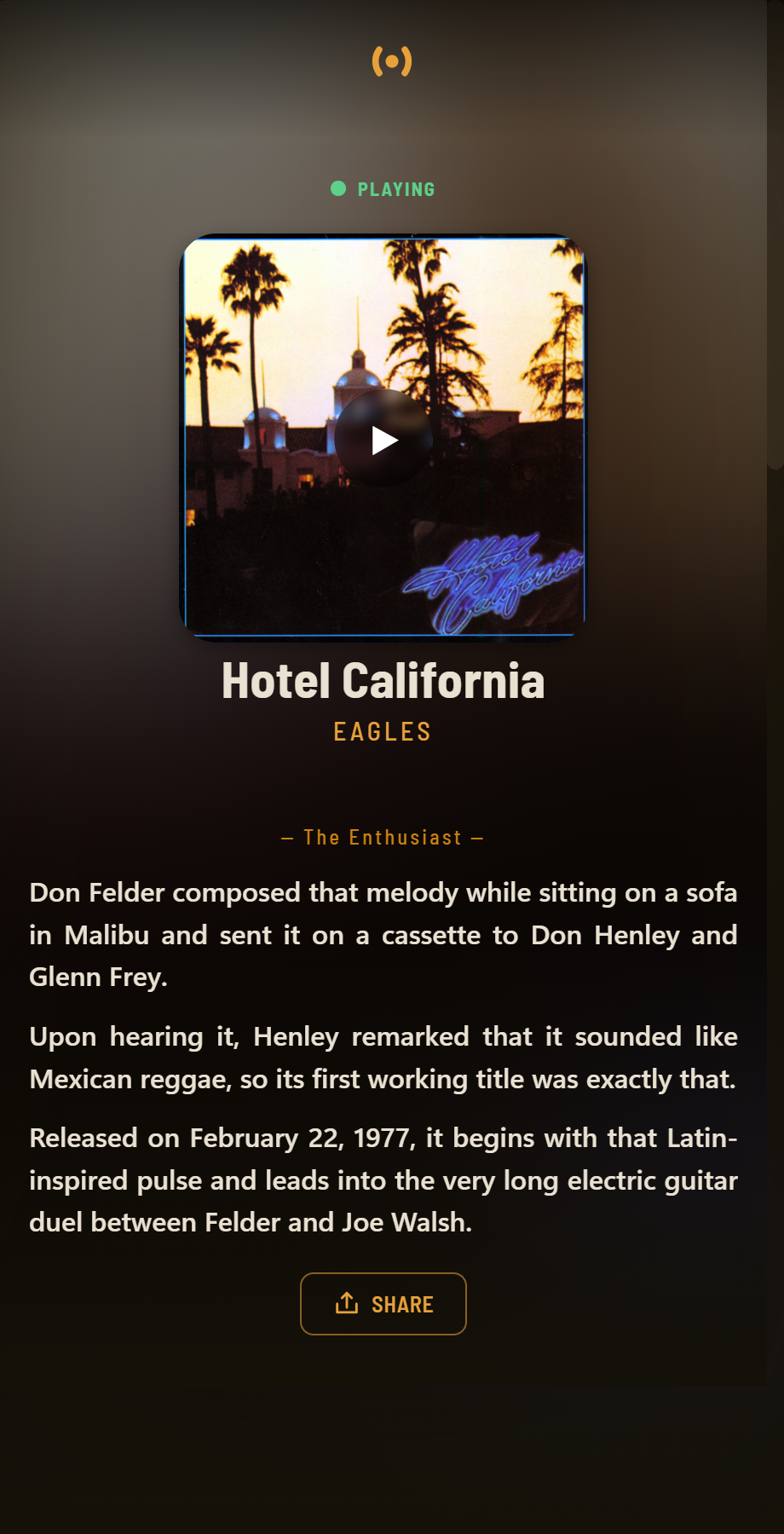
Locutor commenting on the song playing, with the cover, the host's comment and your rating
✓No microphone — reads title and artist, records nothing ✓With sources — Genius · Wikipedia · MusicBrainz · Last.fm · iTunes ✓Your key, your device — encrypted, never on a server ✓Free — with AI options that need no card
TRY IT NOW · NOTHING TO INSTALL

Pick a song and hear your host.

This is how Locutor sounds when that song comes on: the real story, out loud, in under a minute.

ON AIR
Comment and voice generated with AI from verified data (Wikipedia, Genius, MusicBrainz). In the app, your own AI writes it on the spot for the song that's playing.
NEW WHAT'S NEW · 2.31

Now, for the whole world.

What's new in this version, tested as if we were users in India, China, Brazil, Saudi Arabia and Kenya.

Your language, your music

The app in Español, English, 中文, हिन्दी and العربية, and your host speaks 50+ languages. It recognizes any music app, from Spotify to JioSaavn, Anghami or QQ Music.

Every song, its story

Each comment tells the song's story — not the exact second you ask — straight, with facts and without repeating openings.

Share with image and voice

One button: the card and the comment's voice together, to WhatsApp, Instagram or wherever you like. Or save them to your gallery.

Plus: 20 AI providers (the free ones clearly marked), new voices (Microsoft Azure, Google Cloud, Deepgram, Sarvam), hosts with new faces, voice speed and a reminder if you haven't listened in a few days.

WHAT IT DOES

Sounds like a station, not a robot.

Your host has personality: it tells each song's story, lets you decide when it talks, and knows what it's talking about.

Synced lyrics: the line playing is highlighted under the song title
Synced lyrics

Follow the lyrics as it plays.

Synced lyrics highlight the exact line playing at each moment, while your host tells you the story of the song. Like karaoke with someone who explains it.

  • Follows the song in real time and highlights the line playing
  • The comment is about the whole song, not a single line
  • Free, and you can turn it off anytime
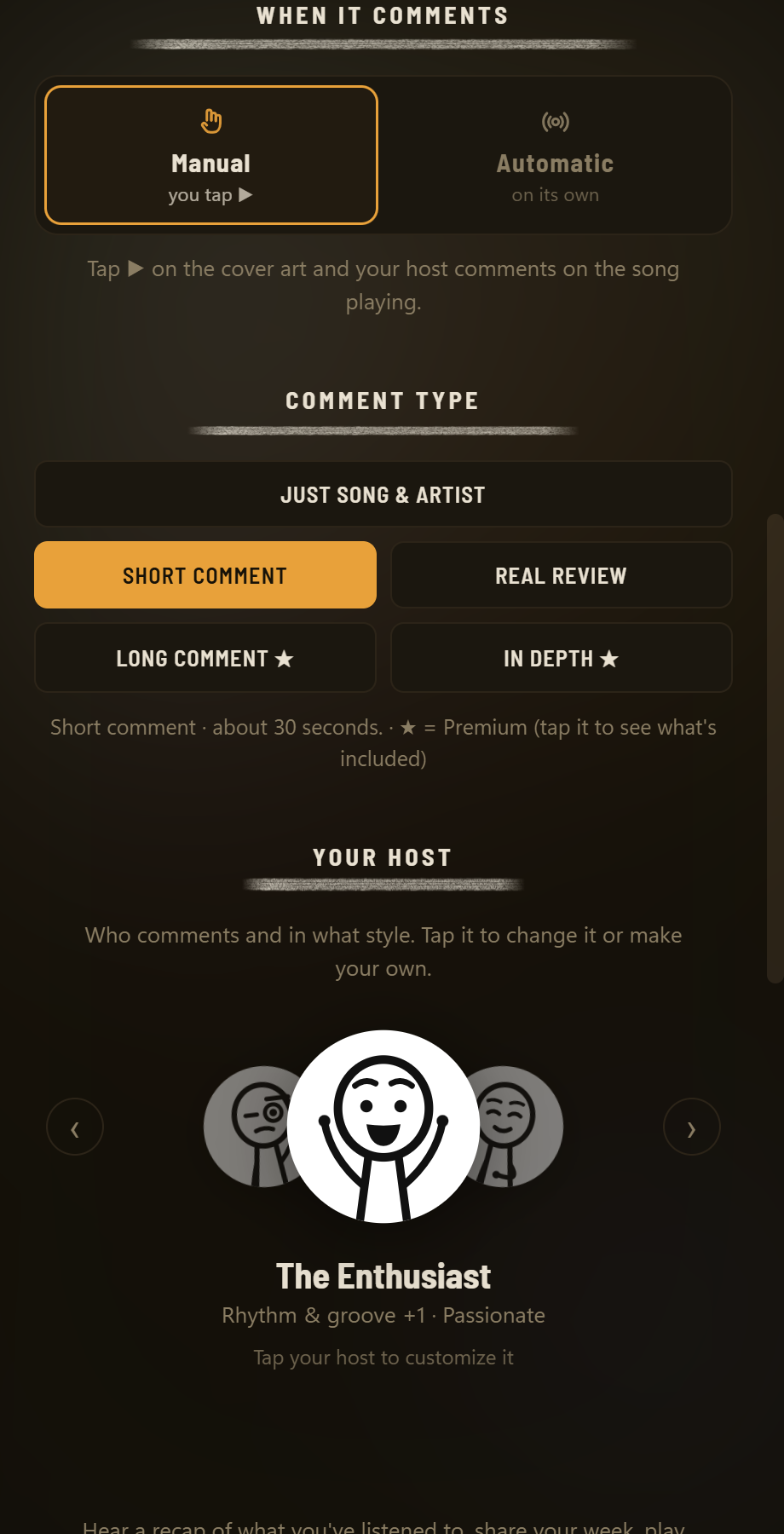
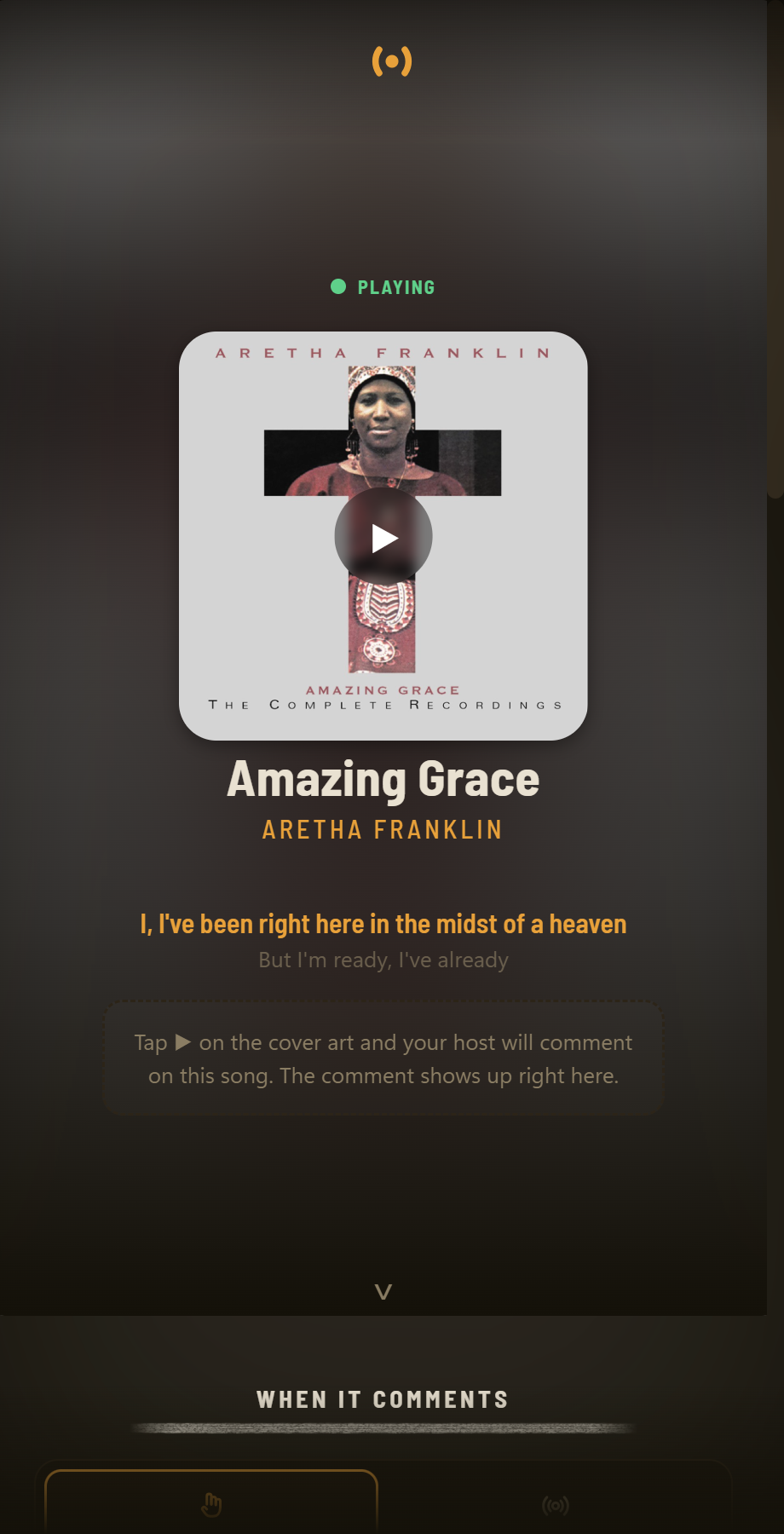
Manual or Automatic: in manual you tap ▶ on the cover, in automatic it comments when the song changes
You're in charge

Manual or automatic. You decide when it talks.

In Manual, tap ▶ on the cover and it comments. In Automatic, it comments on each new song by itself — set it and forget it: every other song, every song or twice per song. And choose its focus: the lyrics, the production, the history…

  • Just the name, a short, with real reviews, long or in-depth
  • Lowers the music while it talks and brings it back after
  • At the start of the song or the end, finishing before the next one begins
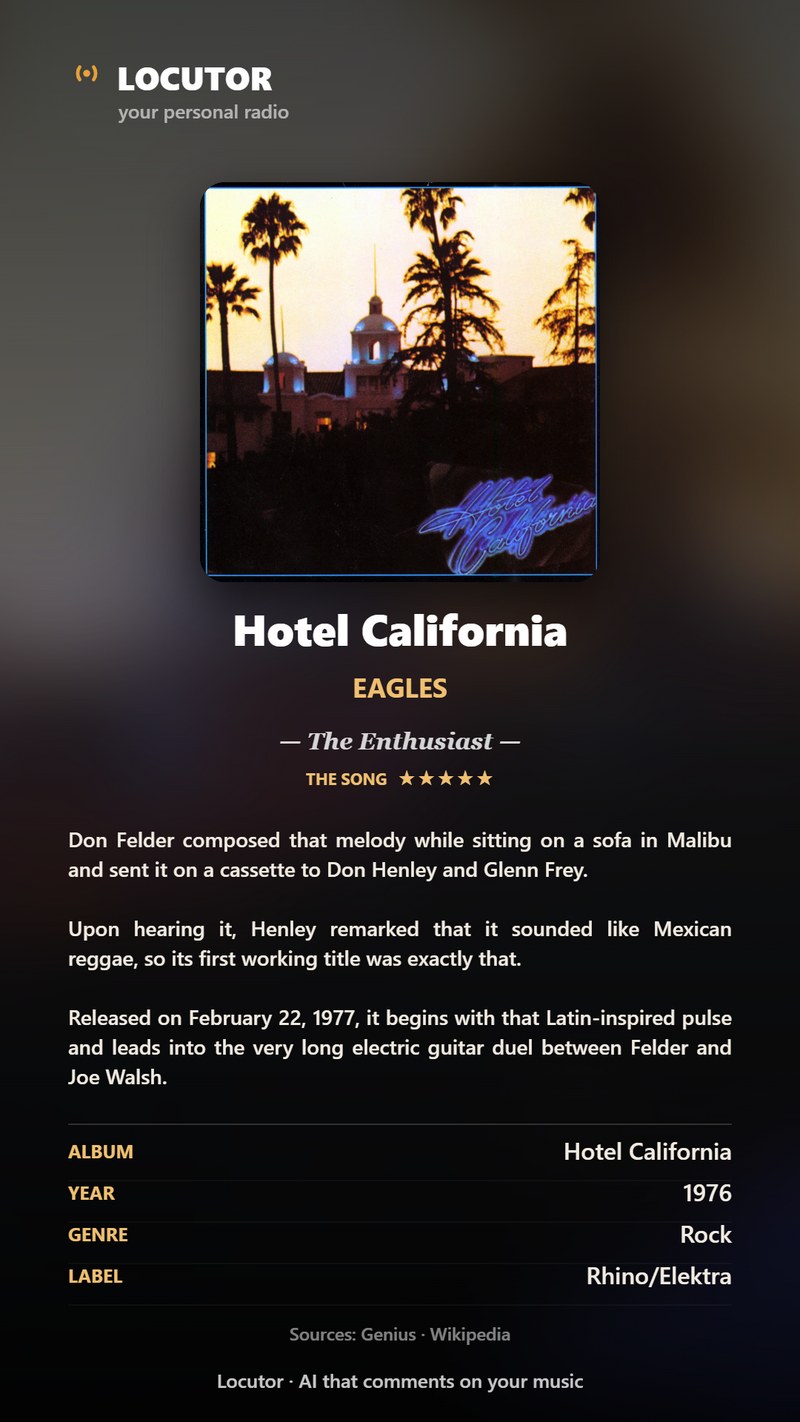
Letter card of a comment with its details: album, year, genre, label, writer and the sources Genius, Wikipedia and MusicBrainz
Where it comes from

Your host knows what it's talking about.

It doesn't just talk. Before commenting, it recognizes the song and looks up the facts in trusted sources.

  • It reads the title and artist of what's playing — no microphone
  • It checks Genius, Wikipedia, MusicBrainz, Last.fm and iTunes
  • It tells it in its own style and shows you where each fact comes from
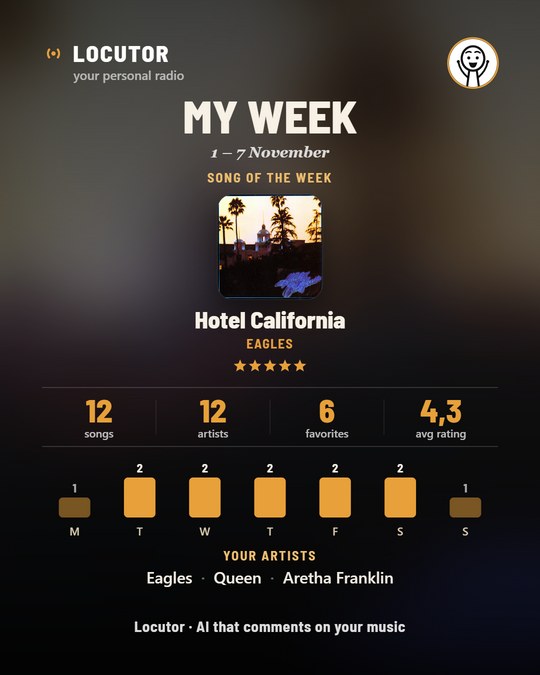
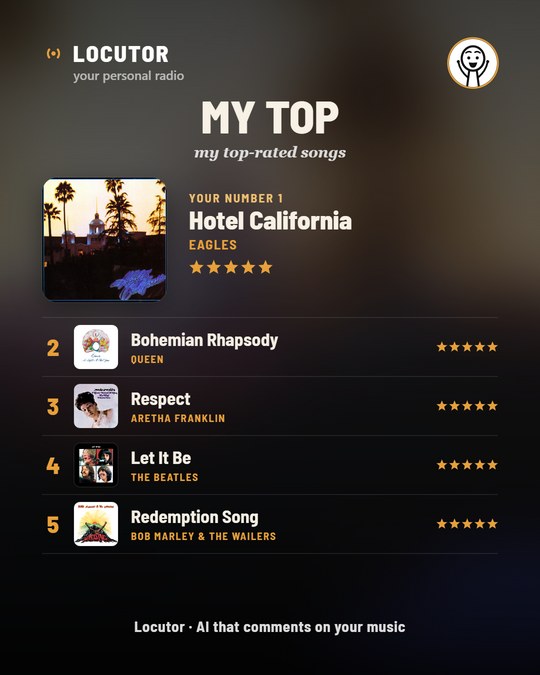
My week card: the song of the week with its cover, your numbers, the week day by day and your artists My top card: your number 1 with its cover and 2 to 5 with their stars Quote card: the host's comment front and center, with the cover, your stars and the record details
To share

Every song on a card you'll want to show.

Save the comment as a Letter — the song with everything: cover, your stars, the comment and the record details — or share it as a Quote, made for social media.

  • Letter or Quote, as a story or post
  • My week, My top and your music quiz, in the same style
  • You see them before sharing, with the source of each fact

Your host, your way

Nine ready-made personalities — or create your own: its focus, its tone and its personality.

Real voices

Your own AI's voice (with a free Gemini key), a free natural voice or voices with your key: Microsoft Azure, Google Cloud, ElevenLabs, Cartesia, Deepgram or Sarvam. One per host.

Share it with voice

The card and the comment's voice in one send, or saved to your gallery. With or without the voice, as you prefer.

In-depth comment

An analysis by aspect — lyrics, production, history… — saved as a PDF with its cover and your rating. In Premium.

Music quiz

A game with questions about YOUR songs, taken from what you've been told and its sources.

Your AI, your choice

20 providers from all over the world: Gemini, Groq, Mistral, Cerebras or OpenRouter for free, or OpenAI, Claude, DeepSeek, Grok, Kimi, Sarvam… If your AI is busy or out of quota, it tries its lighter model or another of your keys.

HOW IT WORKS

Ready in thirty seconds.

Nothing complicated to set up. It works from the start; with a free AI key, it really comments.

Play music

In the app you use: Spotify, YouTube Music, Apple Music, Deezer, JioSaavn, Anghami, Boomplay, QQ Music… Locutor recognizes on its own what's playing: on Windows, with no permissions; on Android, with one (knowing which song is playing). No microphone.

✓ start free

Tap ▶ on the cover

Your host comments on the song out loud. Or set it to Automatic and it will comment on each new song by itself.

Add your free key

Without a key it names songs with facts from its sources. With a free, no-card key (Gemini or Groq) it comments with AI: the app guides you and recognizes it.

FIRST STEPS · 2-MIN VIDEO

Just installed it and it's not commenting?

The free key, the Android permission, music on the same phone and the ▶ button. And what to do with the most common messages: usage limit, busy AI or ads.

Watch on YouTube All guides →
WORKS WITH EVERYTHING

With your music app, in your country.

Locutor recognizes what's playing in any music app on your phone or PC, and you choose the AI from providers all over the world: it first shows the ones most used where you live.

Music apps

Spotify · YouTube Music · Apple Music · Amazon Music · Deezer · Tidal · SoundCloud · Pandora · Qobuz · JioSaavn · Gaana · Wynk · Hungama · QQ 音乐 · 网易云音乐 · 酷狗 · 酷我 · Anghami · Boomplay · Audiomack · Mdundo · Яндекс Музыка · VK Музыка · Звук · Melon · Genie · FLO · Bugs · VIBE · LINE MUSIC · AWA · JOOX · KKBOX · Resso · Palco MP3 · Sua Música · Claro Música

PlayersSamsung · Xiaomi · Huawei · Oppo · Poweramp · VLC · foobar2000 · MusicBee · AIMP · Winamp · and the web in your browser

Artificial intelligence

FREE no paymentGemini · Groq · Mistral · Cerebras · OpenRouter · Hugging Face · SiliconFlow · SEA-LION

PaidOpenAI / ChatGPT · Claude · Grok · DeepSeek · Kimi · GLM · Sarvam · Solar · PLaMo · Sabiá

Paste your key and the app recognizes which AI it is. You can save several: if one runs out of quota, it uses another.

Voices

Free natural voice · Your AI's voice (OpenAI, Gemini, Groq, Sarvam) · Microsoft Azure · Google Cloud · ElevenLabs · Cartesia · Deepgram · System voice

Languages

The app in Español, English, 中文, हिन्दी and العربية. Your host speaks 50+ languages.

THE HOSTS

Each one hears the song its own way.

Pick the one that suits you — or create your own from scratch.

The Music Lover

Influences · Teaching

Connects the song to its lineage: what it draws from and who it influenced.

The Professor

Theory · Teaching

Teaches you to hear it: a couple of things you wouldn't have noticed, without it feeling like a class.

The Producer

Production · Passionate

How it was made: who produced it, the studio decision and the take that made it.

The Devotee

Scene · Loyal fan

Sees it through the eyes of a lifelong fan: the B-side, the legendary live show, the detail only true fans know.

The Lyricist

Lyrics · Poetic

The line that turns the meaning, what the singer confesses.

Create your own

Customizable

Choose its focus, its tone and even someone's way of speaking.

No microphone, no permissions.

Locutor doesn't use the microphone and records no sound. It only reads the title and artist of what's already playing, so it can comment on it. No permissions — no camera, no files, no accounts. Your key is stored encrypted on your own device, never on a server. No ads, no selling data.

Read the privacy policy →

PRICING

Free, or Premium.

You bring the AI (your key). Free is plenty to start; Premium unlocks the in-depth comment and removes the daily limit.

FREE
0€
  • With your key (Gemini, Groq, Mistral, Cerebras… free)
  • One host commenting
  • Comment short
  • Free natural voice or your AI's voice
  • Synced lyrics · recognizes without a microphone
  • Rate with stars and share your top
  • 1 music quiz a week
  • Long, in-depth comment
  • No daily limit
Download free
★ PREMIUM
4,99€ /mo
  • Everything in Free, also with your key
  • Long, in-depth comment (more real data)
  • Premium voices (Cartesia, ElevenLabs)
  • Music quiz unlimited
  • No daily comment limit
  • Cancel anytime
Get started

The AI is always your key (Gemini, Groq, Mistral, Cerebras, OpenRouter and more have a free option). Premium only unlocks the app's advanced modes; we never store your keys on a server.

FAQ

Frequently asked questions.

Does it use the microphone or record what I hear?

No. Locutor only reads the title and artist of the song already playing, through the system. It doesn't access the microphone or record any audio. On Windows it asks for no permissions; on Android, only what Android calls «Notification access», the only way to know which song is playing (it doesn't read your messages).

I installed it and it doesn't comment. What do I do?

It's almost always one of these four steps: add your free key, grant the permission (on Android), play the music on the same device (not on a speaker or TV) and tap ▶ on the cover. We explain it in a 2-minute video, with the most common messages and what to do with each.

Do I need an AI key? Is it hard?

Yes, your own — and it's easy: paste your key and the app recognizes it. There are free, no-card options: Gemini (aistudio.google.com), Groq (console.groq.com), Mistral, Cerebras, OpenRouter, Hugging Face, SiliconFlow or SEA-LION. OpenAI, Claude, Grok, DeepSeek, Kimi, GLM, Sarvam, Solar, PLaMo or Sabiá also work. You can save several: if one runs out of quota, the app switches to another.

Where does it get its facts?

Locutor works like a well-researched search: before commenting, it checks trusted sources —Genius, Wikipedia, MusicBrainz, Last.fm and iTunes— and relies on them. Each card shows where each fact comes from.

Does it work with free Spotify? And with my country's app?

Yes. It works with Spotify (free or Premium), YouTube Music, Apple Music, Deezer, Amazon Music, JioSaavn, Gaana, QQ Music, NetEase, Anghami, Boomplay, Yandex Music, Melon, KKBOX, Palco MP3… and almost any app that shows the song playing on Windows or Android. Locutor only needs to know what's playing.

Does it comment on podcasts or videos?

No: your host comments on songs. If a podcast is playing, it tells you and doesn't comment on it like a song.

Which voices can I use?

Several, and you choose one per host: your own AI's voice (OpenAI or Gemini; with a free Gemini key it already sounds very natural), a free natural voice or voices with your key from Microsoft Azure (400 voices in 140 languages), Google Cloud, Deepgram, Sarvam, Cartesia or ElevenLabs. If the free voice isn't available at that moment, Locutor uses an alternative or leaves the comment written on screen.

What does Premium include?

Premium (€4.99/mo) unlocks the long, in-depth comment, premium voices and the music quiz without limits, and removes the daily cap. The AI is still your key; Premium pays for the app's advanced modes.

And on Android?

Yes. Locutor is already on Google Play for Android, and on Microsoft Store for Windows 10 and 11.

Do you store my key?

Not on our server. Your key is stored encrypted on your own device and used directly with your AI provider. You can delete it, along with your history, from Settings → Delete my data. No ads and no selling data.
START

Turn on the radio. Yours.

Download it for Android or Windows and let your songs have someone to tell their story.

▶ Get it free on Microsoft Store

Windows 10/11 · Android · No microphone · Free

First time? Watch the first steps in 2 minutes →

From Microsoft Store it installs in one click and updates itself. On Android, from Google Play.